Longshot
Full-page screenshots that stay on your machine.
- JavaScript
- MIT license
- Updated
Longshot

Full-page screenshots that come out right. Sticky headers are suppressed after the first tile instead of repeating down the image, and overflow panes (Gmail-style inner scrollers) are captured when the page itself does not scroll. Nothing is uploaded.
Two ways to run it, one capture engine behind both:
- Browser extension for Chrome and Brave, driven by hand. Capture, crop, annotate, copy, download, or save as PDF. See Install.
- Headless CLI (
@craigcossairt/longshot) for scripts, CI, and coding agents. See CLI.
There is no website to run.
What it does
- Full page, visible viewport, or drag to select an area
- Sticky headers hidden after the first tile so they are not repeated
- Overflow panes (Gmail-style inner scrollers) captured when the page itself does not scroll
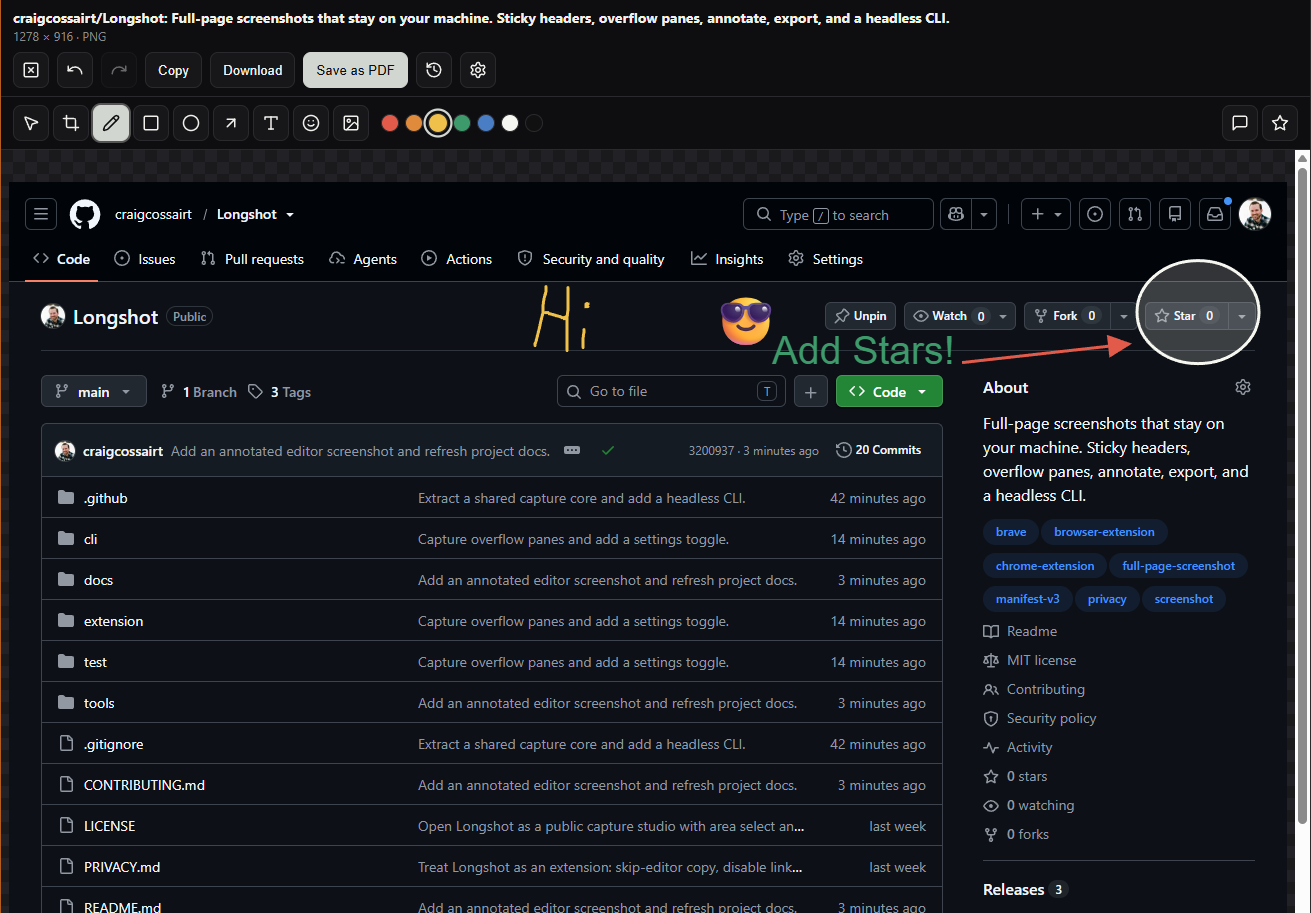
- Editor: crop, pen, shapes, text, stamps, undo/redo, and zoom (fit to width, 15–200%)
- Export PNG, JPEG, WebP, or PDF (AVIF only where the browser can encode it; current Chrome cannot)
- Files page for recent captures
- Optional one-click toolbar capture
- Optional skip-the-editor path that copies to the clipboard (or downloads)
- Keyboard shortcut: Alt+Shift+L captures the full page
- Optional CLI for unattended / agent captures (
cli/)
Install (unpacked)
Sideload is the supported install. A Chrome Web Store listing is not published.
- Clone this repo.
- Open
chrome://extensionsorbrave://extensions. - Turn on Developer mode.
- Load unpacked and choose the
extension/folder.
Right-click the toolbar icon → Options for format, folder, one-click
capture, skip-the-editor, inner frames, and overflow panes. If one-click is
on, the icon starts a capture instead of opening the menu. Scroll overflow
panes is on by default: when the page itself does not scroll, Longshot
captures the main overflow: auto feed instead.
CLI (optional)
Package: @craigcossairt/longshot. The command is longshot.
npm install -g @craigcossairt/longshot
longshot --url https://example.com --full-page --out capture.png
From a clone:
npm install
npx longshot --url https://example.com --full-page --out capture.png
See cli/README.md for engines, exit codes, and --cdp.
Privacy
See PRIVACY.md. Screenshots are not uploaded. Feedback you send from the editor goes only to the maintainer.
License
The question
Full-page captures can repeat sticky headers and miss content inside scrolling panels. Getting one clean image shouldn’t become a project of its own.
What I built
Longshot shares a capture engine between a Chrome/Brave extension and a headless CLI. It handles sticky headers and inner scrollers, then offers cropping, annotation, and export.
Where it stands
Screenshots are processed locally. The extension currently installs by sideloading from the repository; a Chrome Web Store listing is not published. The CLI supports automated capture workflows.
The people
An independent tool with an MIT-licensed source repository.